AdoPiSoft Guide: Pause Limit, Auto Continue, PPPoE, and Licensing
Answer first: On AdoPiSoft, pause is a count set by the admin, not only a duration; sessions can continue after a reboot depending on the version and settings on that build; PPPoE and multi network support matter mainly for direct provider lines or separate networks; and licensing depends on version and tier, so check the Community Edition limits before paying for a commercial licence.
Up: Platforms Compared | Also in Platforms: LPB Guide and PisoFi Guide.
AdoPiSoft is a hotspot management system for Piso WiFi that runs on small boards and on larger servers. This guide is the depth page for AdoPiSoft only. The Platforms Compared pillar gives the comparison across platforms. The Pause Time pillar gives pause rules across platforms. This page does not repeat those guides in full. It explains the AdoPiSoft points that cause the most confusion: pause is a count, not only a duration, sessions can continue after a reboot in the way AdoPiSoft handles them, PPPoE and multi network support change how a setup is planned, and licensing depends on version and tier.
AdoPiSoft suits a builder who wants to use small boards, an owner who wants time rates and data rates, and a learner who wants to try a free Community Edition before paying for a commercial licence. It suits a first machine owner less well if that owner wants a supplier to handle all setup and support by phone.
Boards and Setup in Practical Terms
The official AdoPiSoft site lists Raspberry Pi 3 and 4 as the most reliable boards for its system, with Orange Pi as a lower cost alternative, Newifi 3 D2 as a combined board and access point option, and x64 servers for large setups. That list matters because board choice affects stability, coin slot wiring, and access point performance. A board that works for a test setup may not be stable for a busy shop, and a board with weak WiFi may need a separate access point for decent coverage.
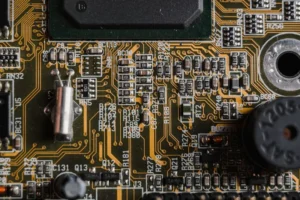
Choose the board for the location, not only for the price
A small indoor shop with a few users at a time has different needs from a busy terminal with many users. For a busy location, plan for a separate access point, a stable power supply, and a board with enough headroom for the user count you expect. For a learning setup, a Raspberry Pi with the Community Edition is a reasonable starting point, because you can learn rates, pause, and voucher behaviour without committing to a commercial licence first.
Coin acceptors and simultaneous insertion
AdoPiSoft supports multiple wired and wireless coin acceptors, with simultaneous coin insertion, according to its official site. In practice, that means a busy machine can accept coins from more than one slot without waiting for each coin to finish processing, where the hardware supports it. It does not mean every coin will be credited instantly in all cases. If a coin is inserted while the portal is still processing a previous coin, or if the coin slot is dirty or miscalibrated, credit can be delayed or missed. The coin troubleshooting post covers jam versus calibration versus power diagnosis. The owner action here is to test coin insertion at busy pace, not only one coin at a time, before opening.
Pause on AdoPiSoft: A Count, Not Only a Duration
This is the single most important AdoPiSoft distinction. Pause on AdoPiSoft is count based, with an admin set number of pauses per session, not only a duration limit. That means a customer can pause and resume a limited number of times, and the limit is about how many times pause is used, not only about how long the total paused time lasts.
Why the count matters to customers and owners
A customer who pauses for a two minute break and a customer who pauses for a two hour break both use one pause from their count, if the count is the limiting rule on that build. An owner who advertises pause without stating the count will get complaints from customers who run out of pauses even though they still have time left. An owner who sets the count too low will get complaints from students and workers who need several short breaks. An owner who sets the count too high may find sessions held open for a long time, which affects how the machine reports active sessions.
Why this guide does not state a universal default count
Operator guides report different counts. Recent operator reports give 3 to 5 attempts per session, while some guides report a count of 10, and other material recommends a lower range. This guide does not state a universal default count, because the count is admin set and varies by version and by operator setup. Check the pause setting on your own machine in the admin panel, test it as a customer, and state the count on your sign if you advertise pause. If you bought a machine from a supplier, ask the supplier to confirm the pause count and the pause duration rules for your build in writing, because a count quoted for another build may not match yours.
Pause, session expiry, and the plus one hour pattern
AdoPiSoft pause interacts with session expiry. Operator material describes a pattern where a session plus a pause allowance can extend the window in which a session remains resumable, but the exact behaviour depends on the version and the settings. Do not promise a customer that a paused session will be available the next day, or that a paused session will never expire. The Pause Time pillar explains expiry and nightly reset patterns in general. For AdoPiSoft specifically, test the following before you advertise pause: pause once, resume, pause again until the count is used, then check what the portal shows, and check what happens after the session time would normally have ended. That test gives you the real rule for your machine, which is more useful than a generic count quoted online.
Auto Continue After a Reboot
AdoPiSoft is known for a behaviour operators describe as auto continue after a reboot, where a session can continue after the machine restarts, subject to the session and pause settings on that build. This is different from a system where every reboot clears all local sessions. It does not mean every session always survives every reboot, and it does not mean a session survives a factory reset or a long power outage in all cases.
What to test, and what not to promise
Test a reboot with a live test session, not with a customer session. Pay a small amount on a test device, pause if applicable, reboot the machine, reconnect the same device, and check whether the session resumes, what time remains, and whether the portal shows the same session. Note the result for your version and your settings. Do not promise customers that a session will survive a reboot until you have tested that exact scenario on your machine. If your machine uses local storage only, a power cut that corrupts storage can still lose sessions, even if a clean reboot preserves them. A backup power supply helps with short power cuts, but it does not fix a corrupted storage card, as explained in the Troubleshooting guide.
Time Rates, Data Rates, and Bandwidth
AdoPiSoft supports time rates and data rates, so an owner can sell minutes or sell megabytes. That choice changes how customers judge value. A time rate suits browsing, messaging, and study, where the customer uses a little data over a longer period. A data rate suits a customer who wants to download or stream a specific amount, but it can feel unfair if background updates consume data without the customer realising it.
Per user bandwidth limiter
AdoPiSoft lists a per user bandwidth limiter, so each user gets a fair share and one heavy user does not slow everyone else down. Set the limiter to match your internet connection and your expected user count. A limiter set too low will feel slow even when the connection is healthy. A limiter set too high will let one user take most of the connection during peak hours. Test with two or three devices at peak time, not only with one device alone, before you fix the limiter.
Content filtering and portal branding
AdoPiSoft lists content filtering, so an owner can allow or block adult and malicious sites where that feature is enabled, and a rebrandable portal, so an owner can customise the appearance of the web portal. Both features depend on version and setup. Content filtering is not a guarantee that every unwanted site will be blocked, and it should not be advertised as a parental control guarantee. Portal branding should keep the rate, pause rule, and payment options clear. A heavily branded portal that hides the rate or the pause button will cause more complaints than a plain portal that shows them clearly.
PPPoE and Multi Network Support: When It Matters
AdoPiSoft lists multi LAN and PPPoE support, with separate DHCP, captive portal, and bandwidth settings per network interface where configured. PPPoE is a method some internet providers use to authenticate a connection, where a username and password are needed to connect to the provider network. Multi LAN means the system can handle more than one local network interface, each with its own settings.
Who actually needs PPPoE
Most small shop owners with a standard fibre or broadband router do not need to configure PPPoE themselves, because the ISP router already handles the provider connection. PPPoE matters when the AdoPiSoft board connects directly to a provider line that requires PPPoE authentication, or when an owner runs separate networks for different purposes, such as a WiFi network and a separate network for a shop computer or a sub vendo. If you are unsure whether your connection uses PPPoE, check your ISP router settings or ask your ISP, rather than guessing in the AdoPiSoft settings. A wrong PPPoE setting will stop the whole machine from reaching the internet, even though the portal still opens.
Planning a multi network setup
If you plan separate networks, plan them on paper first: which interface serves WiFi customers, which interface serves another purpose, what rate and bandwidth limit applies to each, and how you will test each network separately. Test one network at a time as a customer, and label cables and ports during setup, because a swapped cable is a common cause of a multi network setup that appears to work for one group and fails for another. If you do not need separate networks, do not enable them. Extra interfaces add settings that can be set wrong, with no benefit for a single shop machine.
Admin Login and Licensing on AdoPiSoft
Admin access on AdoPiSoft is through the admin panel, usually at 10.0.0.1/admin, while connected to the machine network. The Admin Login guide covers first login and general admin safety in full. This section covers only the AdoPiSoft specific login and licence points.
Default logins, by build, and the change first rule
Guides report two main AdoPiSoft defaults: older builds use admin with password admin, and newer builds use administrator with password admin1234. Some operator reports also give admin123 for some builds, so the default varies by version and supplier. Check the sticker or manual for your own build, and change the admin password on first login, regardless of which default applies. Do not leave either default on a live machine, and do not write the new password on the machine. If neither default works, check supplier notes and contact the supplier, rather than trying a list of passwords from the internet. A factory reset as a last resort will wipe rates, WiFi name, and voucher settings, as explained in the Admin Login guide.
Community Edition versus paid licences
The official AdoPiSoft site presents a Community Edition as a free, extendable version, and paid licences for larger or commercial use. The official site listed a price starting at $10 at the time it was checked for the Platforms Compared pillar, with different user limits, admin user limits, and renewal terms by version and tier. Do not treat that starting price as the price for your setup. Before you buy, confirm: user limit for your expected peak users, admin user limit, board compatibility (ARM only or ARM and x64), whether the licence is perpetual on one version or yearly, and what renewal costs. Those details decide whether a cheap licence will actually cover your machine, and whether a free Community Edition is suitable for a commercial location or only for learning and testing.
E-loading, vouchers, and subscriptions
AdoPiSoft lists e-loading integration, noted as available in the Philippines only, plus voucher and subscription options, with printed vouchers for weekly or monthly access and periodic billing for regular customers. For an owner, the practical check is the same as for other platforms: confirm which options are enabled on your version, test each one with a small amount, and know who to contact when a payment or voucher is not credited. A voucher for AdoPiSoft is not automatically valid on an LPB or PisoFi machine, and a subscription on one machine does not transfer to another machine unless the operator confirms that feature for that setup.
Frequently Asked Questions About AdoPiSoft
How many times can I pause on AdoPiSoft?
It depends on the admin set pause count on your machine, not on a universal default. Check the pause setting in the admin panel, or ask the operator for the pause count for that machine, and test it with a small payment if you are the owner. Do not rely on a count quoted for another build.
Does AdoPiSoft pause use up my time while paused?
No, in the usual case, pausing stops the timer for that session, subject to the pause count and any session expiry rule on that build. If the session expires while paused, the remaining time may be lost, as explained in the Pause Time pillar. The count limit is separate from the timer, so a customer can run out of pauses even with time left.
Will my AdoPiSoft session survive a power cut?
It may survive a clean reboot, depending on version and settings, but a power cut that corrupts storage can still lose sessions. Test a reboot with a test session on your machine, use a backup power supply for short cuts, and do not promise customers that a session will always survive a power cut.
Can I run AdoPiSoft on a normal laptop instead of a Raspberry Pi?
AdoPiSoft lists x64 servers for large setups, as well as small boards, so a larger setup is possible, but a laptop is not the usual stable choice for a shop machine. A laptop that sleeps, updates, or runs out of battery will interrupt service. Use a dedicated board or server for a live machine, and use a laptop only for testing or for admin access.
Do I need PPPoE to run AdoPiSoft?
No, not in most small shop setups, because the ISP router already handles the provider connection. PPPoE matters only when the AdoPiSoft board connects directly to a provider line that requires PPPoE authentication, or when you run separate networks. Check your ISP setup before enabling PPPoE settings.
Is the AdoPiSoft Community Edition suitable for a commercial shop?
It can be suitable for learning and testing, but for a commercial shop, check the user limit, admin limit, support, and update terms for your version before relying on it. A free version that does not cover your peak user count or that lacks the support you need can cost more in lost customers than a paid licence. Confirm the tier in writing for commercial use.
What to Read Next
If you want the wider comparison, go to the Platforms Compared pillar. If you want to compare AdoPiSoft with LPB directly, go to the LPB vs AdoPiSoft post. If you need pause rules in full, go to the Pause Time pillar. If you need admin safety and recovery, go to the Admin Login guide. If you need update, backup, and rollback steps, go to the Piso WiFi Software Update post. If you need machine setup and parts, go to the Vendo pillar.