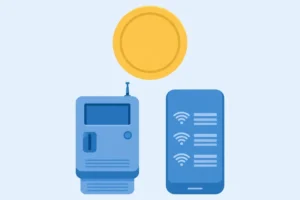
Piso WiFi is a prepaid, coin operated WiFi system from the Philippines. You pay a small amount, often starting from 1 peso, and you get a set amount of internet time or data, with no monthly subscription for that session. It is sold through a small vending machine, usually in a shop, a boarding house, a market, or a waiting area, where many people need short, affordable internet access.
This is the full fundamentals guide for a first time reader. The homepage gives only a short summary of Piso WiFi and links here for the detail. The Login pillar gives login steps in full. The Pause Time pillar gives pause rules in full. The Vendo pillar gives machine parts in full. This page does not repeat those step guides. It explains the idea, the history in plain terms, how the whole system works end to end, what each key term means, who uses it, and how it differs from home WiFi, mobile data, free WiFi, and an internet cafe.
Answer: Piso WiFi is a prepaid hotspot model, not a single company, where a small coin, voucher, or e-wallet payment buys a timed session on one local machine. You join that machine’s portal, pay for the session, and browse until the time or data ends, with no monthly plan for that session.
Why Piso WiFi Exists
Piso WiFi exists because a monthly internet plan does not suit everyone, every time. A monthly plan suits a household that uses internet every day. It does not suit a student who needs internet for a few hours at school, a worker on a break who needs to check messages, a traveller passing through a town, or a resident whose home connection is down for a day.
In the Philippines, prepaid use is common. Many people top up mobile load in small amounts, rather than paying a large monthly bill in advance. Piso WiFi follows the same prepaid idea, but for WiFi: pay a small amount, use it now, pay again later if you need more. The coin system fits that idea well, because coins are small, familiar, and easy to use in a shop, without a bank account or a mobile app account for that session.
Piso WiFi also fits small shops. A sari-sari store, a boarding house, or a waiting area can add a machine, offer internet to customers who are already there, and earn from small payments throughout the day. That shop model is why machines are often found where people wait, study, or pass through, rather than in a dedicated internet shop alone.
A Short History, in Plain Terms, Without Invented Dates
Piso WiFi is a model, not a single company or a single invention with one launch date. It grew in the Philippines as small builders and operators combined three existing ideas: a coin operated vending machine, a WiFi hotspot with a captive portal, and a prepaid timer for internet access.
Early machines were often DIY builds, using small boards, a coin slot, and open or commercial hotspot software, to sell timed WiFi in shops and boarding houses. As smartphones spread and mobile data costs remained a concern for many users, demand for short, affordable WiFi sessions grew, especially in areas where home WiFi was not yet common or affordable for every household.
Commercial platforms then grew around that demand, with names such as LPB, AdoPiSoft, PisoFi, and JuanFi, each offering a portal, a timer, vouchers, and admin tools, as explained in the Platforms Compared guide. Newer systems, such as Ruijie and SmartFi, JLink, and others, have since added features such as auto pause, live coin counters, and dashboard monitoring, as reported in operator updates.
This guide does not state a single invention year or a single inventor for Piso WiFi, because no single official source checked for this guide supports that claim. The model grew from many operators and builders, not from one company launch. If a listing claims a single inventor or a single launch date for all Piso WiFi, check it against official platform histories before you trust it.
How Piso WiFi Works End to End
The whole system has six parts, in order, from the internet source to your phone. Understanding that order helps you diagnose problems later, because a fault in one part looks different from a fault in another part.
Part 1: Internet source
The machine shares an existing internet connection, from a wired ISP such as PLDT, Globe, or Converge in the Philippines, or from a SIM modem, through a router. The machine does not create internet on its own. If the internet source is down, the portal may still open, but browsing will not work. That distinction is explained in the Troubleshooting guide, under the ISP versus machine test.
Part 2: Control board and software platform
The control board is a small computer inside the machine. It runs the software platform, such as LPB, AdoPiSoft, PisoFi, or JuanFi, which runs the portal, the timer, the rates, the voucher checks, and the admin panel. The platform decides how pause works, how vouchers work, and how sales are tracked, as explained in the Platforms Compared guide.
Part 3: Coin slot and payment
The coin slot, also called a coin acceptor, reads coins and tells the board how much was paid. Voucher codes and e-wallet payments, where supported, are checked by the platform in a similar way: the platform checks whether the code or payment is valid, whether it has already been used, and what time or data it should give. Full payment types are in the Login pillar, and full voucher rules are in the Voucher guide.
Part 4: Captive portal
The captive portal is the login page that appears before full internet access is allowed. You join the WiFi network, the portal opens, you pay, and the portal starts a session. The portal address is usually http://10.0.0.1, a private local address that only works while you are connected to that machine network. It is not a public website.
Part 5: Timer, session, and bandwidth limit
Once payment is confirmed, the platform starts a session for your device. A session is a record that includes a session ID, your device IP or MAC address, and your remaining time or data. A timer counts down for a time session. A data allowance counts down for a data session. A bandwidth limit per user, set by the operator, shares speed fairly among customers, so one user does not take the whole connection.
Part 6: Your device browses, pauses, and ends
You browse normally while the session runs. If pause is enabled, you can pause on the same device and resume on the same device, as explained in the Pause Time pillar. When the timer or data allowance ends, or when the session expires, internet access stops until you pay again. A new payment starts a new session, unless a voucher or transfer rule on that machine says otherwise, as explained in the Voucher guide.
Key Terms Explained: A Glossary for First Time Readers
This glossary is the authority for terms on this site. Other pillars use these terms in short form and link here for the full meaning, so they do not repeat this glossary in full.
| Term | Plain meaning |
|---|---|
| Piso | The Filipino word for one peso. Piso WiFi is named for its small, peso based payments. |
| Vendo machine | The physical unit that sells internet time, with a coin slot, a control board, a router or access point, and a portal. Also called a piso wifi machine or a coin WiFi machine. |
| SSID | The WiFi network name you see on your phone or laptop when you look for a network to join. |
| Captive portal | The login page that appears before full internet access is allowed, where you pay and check your timer. |
| IP address | A number that identifies a device on a network. 10.0.0.1 is a private IP address used as the portal address on many Piso WiFi machines. |
| Gateway | The address of the router or machine that serves the portal. On your device, it may be labelled Router or Gateway. |
| MAC address | The hardware identifier of a device network adapter. Many Piso WiFi systems match a session to a device by IP or MAC address, which is why resume usually needs the same device. |
| Session | A record for one paid use, with a session ID, a device address, and remaining time or data. A session ends when time, data, or expiry runs out. |
| Timer | The countdown for a time session. Pause stops the timer, where enabled. Resume restarts it from the same point. |
| Bandwidth limit | A per user speed limit set by the operator, so one user does not take the whole connection. |
| Coin slot, coin acceptor | The part that reads coins and tells the board how much was paid. It must be calibrated for the coins it accepts. |
| Voucher, WiPass | A prepaid code for time or data. WiPass is the voucher name used on PisoFi. Full rules are in the Voucher guide. |
| Admin panel | The owner control page at 10.0.0.1/admin, for setting rates, checking sales, managing users, and setting pause rules. Full steps are in the Admin Login guide. |
| Platform | The software system that runs a machine, such as LPB, AdoPiSoft, PisoFi, or JuanFi. Platforms Compared guide explains each one. |
| ISP | Internet service provider, such as PLDT, Globe, or Converge in the Philippines, that supplies the internet connection the machine shares. |
| UPS | Uninterruptible power supply, a battery backup that keeps a machine running briefly during a short power cut. |
Who Uses Piso WiFi, and Why?
Piso WiFi users are not one group. Different users need it for different reasons, and that is why machines offer different rates, vouchers, and pause options.
| User type | Why they use Piso WiFi | What matters most to them |
|---|---|---|
| Student | Study, research, and assignments, often in a boarding house or near school | A mid tier time rate, pause for breaks, and a stable signal at a study spot |
| Worker on break | Messages, calls, and short browsing during a break | A small tier, a quick login, and a clear timer |
| Traveller | Maps, messages, and calls while passing through a town | Coin or voucher payment, no local account needed, and a clear sign with rates |
| Boarding house resident | Daily browsing in the evening, without a monthly home plan | A mid tier or weekly voucher, with a reliable evening signal |
| Shop customer waiting | Short browsing while waiting in a shop or terminal | A small tier, a quick portal, and a seat with signal |
| Small shop owner | Extra income from customers already in the shop, plus a service that brings people in | A stable machine, clear rates, and a simple daily routine, as explained in the Business guide |
| Computer shop customer | Desktop time in a shop, not only WiFi | A separate desktop rate and timer, where offered, as listed on platforms that support it |
How Piso WiFi Differs From Other Internet Options
Use this comparison to choose the right option for your task, rather than assuming Piso WiFi is always cheapest or always best. The Worldwide guide gives a similar comparison for travellers and readers abroad, from a traveller angle. This table gives the fundamentals angle: commitment, payment, and control.
| Option | Commitment for the customer | Payment model | Best for |
|---|---|---|---|
| Piso WiFi | None per session, pay as you go | Small coin, voucher, or e-wallet payment per session | Short, affordable, pay as you go use, with no monthly plan |
| Home WiFi | Monthly plan, usually with a contract or a regular bill | Monthly payment for a household connection | Daily, high use households, work, and streaming |
| Mobile data | Phone plan, prepaid or postpaid | Data allowance per plan, or pay per data use | Personal, on the move use, with a phone as the device |
| Free public WiFi | None, but often with a registration step or a time limit | Free, sometimes with a code or a purchase in a venue | Short use in a cafe, library, or hotel where free WiFi is offered |
| Internet cafe, pisonet | Pay per use, per desktop session | Time payment for a desktop computer, not only WiFi | Users without a device, or users who need a desktop computer for a task |
Piso WiFi is not home WiFi, it is not mobile data, and it is not free WiFi. It is a prepaid hotspot model that sits between free public WiFi and a monthly plan: you pay a small amount, you get a timed session, and you pay again only if you need more.
Common Misconceptions About Piso WiFi
Misconceptions cause most first time confusion. Check each one before you use or buy a machine.
Misconception 1: Piso WiFi is a single company
No. Piso WiFi is a model, with many operators and many platforms. LPB, AdoPiSoft, PisoFi, and JuanFi are different platforms, not branches of one company. A machine run by one operator is not run by another operator, and a voucher for one machine will not usually work on another machine.
Misconception 2: Piso WiFi is free
No. Piso WiFi is prepaid. You pay by coin, voucher, or an accepted e-wallet for each session. A portal that opens for free, without payment, may be a free guest WiFi portal, a different hotspot, or a fake portal, as explained in the Safety guide. Check the sign and the portal rates before you assume a session is free.
Misconception 3: Piso WiFi is an app you download
No, in the usual case. Piso WiFi login, pause, and voucher features are portal features, accessed through a browser at 10.0.0.1, not through a single global app download. Some third party admin helper apps open the local portal, and some operator apps exist for specific systems, but there is no single official Piso WiFi app for all platforms, as explained in the Platforms Compared guide and the Worldwide guide.
Misconception 4: Piso WiFi gives unlimited internet for 1 peso
No. A small payment buys a short session, with a time or data limit set by the operator. A 1 peso payment in operator guide examples buys a short session, often around 10 minutes, not unlimited use. Weekly or monthly vouchers can feel like longer access, but they still have terms, such as a daily limit, a speed limit, or an expiry date, as explained in the Voucher guide and the Rates pillar.
Misconception 5: Piso WiFi needs a SIM card in your phone
No, for the customer. You need WiFi on your phone or laptop, and a payment, not a SIM card in that device for that session. The machine itself may use a SIM modem as its internet source, but that is the machine side, not the customer side. A customer device without a SIM, such as a WiFi only tablet or laptop, can still use Piso WiFi if it can join WiFi and open the portal.
Misconception 6: Piso WiFi works everywhere with one login
No. Each machine is local, with its own portal, rates, and operator. A login on one machine does not log you in on another machine, and a voucher for one machine will not usually work on another machine. You must join each machine network separately, open its portal, and pay for a session on that machine.
Frequently Asked Questions About Piso WiFi Fundamentals
What does piso wifi mean?
Piso means one peso in Filipino, and WiFi is the wireless network you join. Piso WiFi means a WiFi system where you pay small peso amounts for timed internet sessions, usually through a coin operated vending machine.
Who invented piso wifi?
There is no single inventor or single launch date for all Piso WiFi that is supported by an official source checked for this guide. Piso WiFi grew in the Philippines from many operators and builders combining coin vending, WiFi hotspots, and prepaid timers, with commercial platforms such as LPB, AdoPiSoft, PisoFi, and JuanFi growing around that demand. Treat a claim of a single inventor with caution unless it cites an official platform history.
Is piso wifi a company?
No. Piso WiFi is a model, not a single company. Many operators run machines, and many platforms provide software for those machines. LPB, AdoPiSoft, PisoFi, and JuanFi are different platforms, not branches of one company.
Do I need a SIM card to use piso wifi?
No, as a customer. You need a device with WiFi, such as a phone, tablet, or laptop, and a payment by coin, voucher, or an accepted e-wallet where supported. The machine itself may use a SIM modem as its internet source, but that does not mean your device needs a SIM for that session.
Do I need an account to use piso wifi?
In the usual case, no. You join the network, open the portal, pay, and browse. There is no customer account to create before you pay. If a portal asks you to create an account, check that you are on the correct machine network and the correct portal address, as explained in the Login pillar.
How is piso wifi different from free wifi?
Free WiFi is usually offered by a venue, such as a cafe or library, with no per session payment, often with a registration step or a time limit. Piso WiFi is prepaid: you pay a small amount per session, through a coin, voucher, or e-wallet payment, and you get a timed session in return. Both use a captive portal in many cases, but the payment model is different.
Can I use piso wifi on a laptop and a phone at the same time?
In the usual case, no, with one payment. One payment creates one session for one device. A second device needs its own payment, unless the operator confirms that a transfer feature is enabled on that machine. Full rules are in the Login pillar and the Voucher guide.
Is piso wifi the same as a pisonet?
No, although they are related. A pisonet is a timed desktop computer setup, often in a computer shop, where you pay for desktop time. Piso WiFi is a timed WiFi hotspot, where you pay for WiFi time on your own device. Some platforms, such as PisoFi, offer both WiFi and desktop timers in one system, with separate rates, as listed in its official features, but the two services are different.
Names Reported in Operator Discussions, to Check Before You Trust Them
Operator discussions also mention names such as FoxPisoWiFi, Sky, and Twin J, and a tool name, Mikhmon, for MikroTik hotspot management. Operator discussions also use the spellings PisoWiFi and Juan Piso WiFi for the same coin operated or vendo WiFi idea. This guide lists them only as names reported in those discussions. It gives no feature list, no market claim, and no recommendation for them. Verify current official terms, support, and compatibility for your own hardware before you buy or install anything under one of those names, and use the Platforms Compared guide for the platforms with checked official features.
What to Read Next
If you need to log in, go to the Login pillar. If you have a paid session and need to pause it, go to the Pause Time pillar. If you want machine types and parts, go to the Vendo pillar. If you want to compare platforms, go to the Platforms Compared guide. If you want rate strategy, go to the Rates pillar. If you are an owner who needs to change settings, go to the Admin Login guide. If you paid by voucher, go to the Voucher guide. If you want business factors, go to the Business guide. If you want safety and privacy, go to the Safety guide. If you want traveller and worldwide use, go to the Worldwide guide. If the portal, code, or timer is not working, go to the Troubleshooting guide.
Each page covers its own topic in full, so this page gives the idea, history, end to end flow, and glossary, rather than repeating their steps.