Best Locations for a Piso WiFi Machine: Sari Sari Stores, Boarding Houses, and Terminals
This post covers location choice in depth: how to test foot traffic, how sari sari stores, boarding houses and dorms, and terminals and waiting areas differ, and which locations to avoid. The Business guide gives a short location summary and links here for the test method. This post does not repeat machine types, ISP choice, rates, or permit steps, except where a location decision changes them.
Location decides more than machine type or platform. A good machine in a bad location will sit idle. A basic machine in a good location, with a clear sign and a working portal, can sell every day. Test the location before you commit to a machine for that spot, because a week of testing tells you more than a month of guessing.
Answer first: Test a spot on at least three days, at morning, midday and evening, before you commit to a machine there. A sari sari store suits daily regulars, a boarding house suits regular evening residents, and a terminal suits people waiting for a long time. Walk away when several test factors are weak. Start with the Piso WiFi Business guide, and see also ISP choice and machine setup in this category.
The Foot Traffic Test: Count People, Need, and Waiting Time
Foot traffic alone is not enough. A busy road with people passing quickly is not the same as a waiting area where people sit for an hour. Test three things together: how many people pass, how many need short internet access, and how long they wait near the machine.
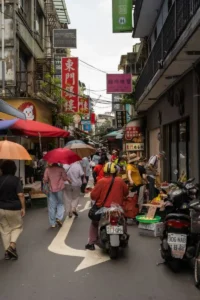
How to run the test
Visit the spot on at least three different days, including a weekday and a weekend day if the spot is used on weekends. At each visit, spend 30 to 60 minutes at different times: morning, midday, and evening, because a spot that is busy at noon can be empty at night, and a boarding house that is quiet at noon can be busy in the evening.
At each visit, note:
- How many people pass the spot, and how many stop, sit, or wait near where the machine would be.
- How long people wait or sit, in rough terms: a few minutes, half an hour, or several hours.
- What people are doing while they wait: studying, working, chatting, or looking at phones.
- Whether people already use home WiFi, mobile data, or another Piso WiFi machine nearby, based on what you can observe and what nearby shop owners tell you, not on a guess.
- Whether there is a safe seat or standing area with signal reach, stable power, and a spot where you can see the machine and collect cash safely.
Record your notes by day and time, so you can compare spots fairly. A spot that looks busy on one visit can be quiet on the next, and a spot that looks quiet at noon can be the busiest spot in the evening.
How to score a location, without inventing a formula
Use a simple qualitative score for each test, not a made up income prediction. For each location, rate each factor as strong, medium, or weak:
| Factor | Strong looks like | Weak looks like |
|---|---|---|
| Daily foot traffic at waiting spots | Many people stop or sit daily, at several times of day | Many people pass quickly, but almost none stop or sit |
| Need for short internet access | Many people need a short session and do not have cheap home WiFi at that moment | Most people already have home WiFi or cheap data, and rarely need a paid session |
| Waiting time | People wait or sit for 30 minutes or more, such as students, travellers, or residents in the evening | People wait only a few minutes, such as a quick purchase with no reason to stay |
| Signal reach to seats | Signal reaches every seat you want to serve, tested with a phone | Signal reaches only next to the machine, not at the seats |
| Power and internet stability | Stable power and a tested internet source at that spot | Frequent long power cuts, or an untested internet source |
| Operator visibility and safety | You can see the machine, collect cash safely, and fix problems quickly | Machine would be out of sight, hard to reach, or unsafe to collect cash from |
| Competition gap | No machine nearby, or a nearby machine with a clear gap, such as no small tier, weak signal, or no voucher option | A cheaper, better machine already serves the same customers, with no clear gap |
A location needs mostly strong ratings to justify a machine. One weak rating, such as weak signal reach, can be fixed with a better access point. Several weak ratings together, such as weak need plus weak waiting time plus strong competition, usually mean the location should be avoided, even if foot traffic looks high.
Sari Sari Stores: Small Shops With Daily Regulars
A sari sari store is a small neighbourhood shop, often run from a home or a small storefront, selling everyday goods. It suits a Piso WiFi machine when it already has daily regular customers, a safe indoor spot, and a shopkeeper who can watch the machine.
Why a sari sari store can work
Customers already visit daily for small purchases, and many will add a short WiFi session while they are there. The shopkeeper is present, can answer simple questions, can collect cash safely, and can notice a jam, a portal problem, or a signal problem quickly. A sari sari store also gives a natural sign location: the storefront, the counter, and the seating area, if any, can all show the WiFi name, rates, and pause rule.
What to test in a sari sari store
- Daily regulars: how many different customers visit each day, and how many are students, workers, or residents without a home connection at that moment.
- Seating and signal: whether customers can sit near the store, and whether signal reaches those seats, not only the counter.
- Power and internet: whether power is stable, and whether the internet source at the store has been tested with a laptop.
- Shopkeeper time: whether the shopkeeper has time to collect cash, check the portal, and help a customer who cannot log in, without neglecting the shop.
- Competition: whether another machine already serves the same street, and whether your machine offers a clear gap, such as a small tier, a better signal spot, or a voucher option.
Watch out for in a sari sari store
A sari sari store with only passing traffic, no seating, and a shopkeeper who is away most of the day will not sell as well as a store with regulars and a visible machine. Also check cash handling: a store with a single cash box for shop sales and WiFi sales needs separate tracking, so WiFi sales can be compared with the machine sales report.
Boarding Houses and Dorms: Regular Residents, Evening Demand
A boarding house or dorm is a building where students or workers rent rooms, often without a monthly home internet plan for each room. It suits a Piso WiFi machine when residents need regular evening access, and when the building owner or manager supports the machine.
Why a boarding house can work
Residents are regular, not passing. They return every evening, they study or browse for longer sessions, and they can become regular voucher customers if weekly or monthly vouchers are offered on the platform. A boarding house also gives a controlled environment: the machine is indoors, power is usually stable, and the manager can help with access and cash collection.
What to test in a boarding house
- Resident count and need: how many residents live there, how many need internet in the evening, and how many already have home WiFi or cheap data.
- Evening demand: visit in the evening, not only at noon, because boarding house demand peaks when residents return from school or work.
- Signal reach to rooms: whether signal reaches rooms, corridors, and common areas, or only the ground floor. Use the range extension post method to test each floor and common area.
- Manager agreement: written permission for placement, power use, access for maintenance and cash collection, and who is responsible after hours.
- Voucher fit: whether residents would prefer small coin sessions, weekly vouchers, or monthly vouchers, based on asking residents and the manager, not on assuming one option.
Watch out for in a boarding house
A boarding house where most residents already share a cheap home WiFi connection, or where the building owner will not allow a machine, a sign, or regular access for maintenance, is a weak location, even if resident count looks high. Also check evening load: many residents connecting at once can slow the machine if the internet source and per user bandwidth limits are not planned, as described in the Troubleshooting guide.
Terminals and Waiting Areas: High Waiting Time, Shared Seats
A terminal or waiting area includes bus terminals, jeepney stops with waiting sheds, market waiting areas, clinic waiting areas, and other places where people wait for transport, appointments, or companions. It suits a Piso WiFi machine when waiting time is long, seats are shared, and people need messages, maps, or browsing while they wait.
Why a terminal or waiting area can work
Waiting time creates demand. A traveller waiting an hour for a bus, a companion waiting for an appointment, or a worker on a break will often pay for a short session, especially if the portal is clear, the rates include a small tier, and the signal reaches the seats. Terminals also bring new customers every day, not only regulars, so a clear sign matters more here than in a boarding house.
What to test in a terminal or waiting area
- Waiting time and seats: how long people actually wait, and whether seats are within signal reach, tested with a phone at each seat.
- Passing versus waiting: how many people pass through quickly versus how many sit and wait. Only the waiting group is likely to buy a session.
- Power and security: whether power is available and safe, whether the machine can be locked and seen, and who is responsible for the machine after hours.
- Permission: written permission from the terminal, market, or building owner for placement, power, signage, and maintenance access.
- Competition and price sensitivity: whether another machine already serves the same waiting area, and whether travellers will pay your rate for a short wait, or will wait without internet instead.
Watch out for in a terminal or waiting area
A terminal with high passing traffic but almost no waiting time, no seats, and no safe power will not sell well, even if thousands of people pass daily. Outdoor terminals also need weather protection, secure mounting, and a power plan for rain and heat, as described in the Vendo pillar. A machine in an outdoor terminal that fails in rain will lose travellers faster than a machine that opens later with proper protection.
Bad Locations: When to Walk Away
Walk away, or delay, when a location fails several factors in the foot traffic test together. Common bad location patterns are:
- High passing traffic, no waiting, no seats, and no reason for anyone to stop and browse.
- Most nearby homes already have cheap, fast home WiFi, and few people need a paid short session.
- Signal cannot reach customer seats, even after a range test with a better placed access point, because of walls, metal roofs, or distance.
- Power cuts are frequent and long, with no UPS or backup plan, so sessions are lost often and customers complain.
- A cheaper, better machine already serves the same customers, with the same rates, signal, and voucher options, and no clear gap for a second machine.
- No written permission for placement, power, signage, or maintenance access, especially in schools, terminals, and public buildings.
- Machine would be out of sight, unsafe to collect cash from, or hard to reach for repairs, especially outdoors at night.
A bad location is not a personal failure. It is information from the test. Use that information to choose a different spot, a different customer type, or a different time to invest, rather than installing a machine and hoping foot traffic alone will save it.
Location and Other Decisions Together
Location changes other decisions, so test it before you finalise them. A terminal location may need an outdoor unit and a small tier focus. A boarding house may need a weekly voucher focus and a range plan for rooms. A sari sari store may need a small indoor unit and a shopkeeper routine for cash and checks. ISP choice, machine type, rate tiers, and range plan should all follow the location test, not the other way round. See the ISP choice post, the machine setup post, and the range extension post for those decisions in full.
Location Economics, Reported Ranges Only
Location decides much of the result, but no location figure is a promise. Operator reports give a single good machine daily revenue of about 200 to 1,000 pesos or more, monthly revenue of about 6,000 to 30,000 pesos or more, and other reports give about 4,000 to 15,000 pesos or more per kiosk per month. Payback reports also vary, with some giving 1 to 4 months in high traffic spots and others giving 2 to 5 months for standard setups. Treat those as reported variation by foot traffic, uptime, competition, and costs, and keep the downside case in the Business guide: a weak location can earn little, whatever the average range says.
Frequently Asked Questions About Best Locations for Piso WiFi Machines
How long should I test a location before buying a machine?
Test on at least three different days, at morning, midday, and evening, for 30 to 60 minutes each visit. That covers weekday versus weekend patterns and morning versus evening demand, especially for boarding houses and terminals. A single visit, at one time of day, is not enough to judge a location.
Is a busy road a good location by itself?
No, not by itself. A busy road with people passing quickly, no seats, and no waiting time will sell less than a quieter spot where people sit and wait for an hour. Score waiting time, need, signal reach, and operator visibility together with foot traffic, as in the table above.
Which location type is best for a first machine?
The best first location is usually a spot you can watch and maintain easily, with daily regulars, a safe indoor spot, stable power, and a tested internet source. For many owners, that is their own shop or a boarding house they manage. A terminal can work, but it needs permission, security, and weather protection that a first machine owner may not yet have in place.
What if another machine already serves my chosen location?
Check for a clear gap before you compete directly: a small tier the other machine lacks, a better signal spot, a voucher option, a different customer type, or a different waiting area in the same building. If there is no clear gap, and the other machine is cheaper and better placed, choose a different location rather than splitting the same customers.
How do I test signal reach before I buy a machine?
Use a phone on the existing internet source, or on a test access point if available, at each customer seat, and note whether the WiFi name appears, the portal loads, and a short browse works. Use the range extension post method for a full walls test. Do not promise coverage based on a test next to the machine alone.
Should I pay rent or revenue share for a good location?
Only after the foot traffic test, and only with terms in writing: rent or share amount, period, who pays for power and internet, who maintains the machine, and what happens if sales are low or the location closes. A good location with unclear rent or share terms can become a bad business, even if foot traffic is strong.
What to Read Next
For business costs, income factors, and daily routine in summary, go to the Business guide. For machine types and parts in summary, go to the Vendo pillar. For internet source choice, go to the ISP choice post. For setup order after you choose a location, go to the machine setup post. For signal reach to customer seats, go to the range extension post. For rate tiers by customer type, go to the Rates pillar. Each page covers its own topic, so this post does not repeat their machine, ISP, rate, or setup steps.