Piso WiFi Technician vs DIY Maintenance
Every Piso WiFi owner faces the same choice sooner or later: fix it yourself, or pay someone else to fix it. Doing everything yourself saves money but risks making a small fault worse. Hiring help for every small problem costs money and time waiting for someone to arrive. The sensible line sits between those two extremes, and it depends on the task, your skill, and whether the machine is still under warranty.
This post is a decision guide, not a repair manual. It does not repeat the wiring steps from the machine setup post, and it does not repeat the update steps from the Software Update post. Where those posts cover a procedure in full, this post links to them by name and stays at the decision level: what you can safely do, what needs the supplier manual and real building skill, and what is worth hiring for.
Answer first: Start with the safe owner checks. If the fault involves wiring, calibration, firmware, or electrical safety, or it persists after those checks, hire a technician or contact the supplier. Do not open a machine with a suspected electrical fault if you are not qualified, and do not keep running it while waiting for help.
Related in Business, Vendo and Setup: Piso WiFi Business (pillar), Best Location, and Permits.
Tasks Safe for Most Owners
These tasks need no tools beyond a phone and careful observation, and they do not open the machine or change its wiring or software. Most owners can do them, and doing them first saves both DIY time and technician visits.
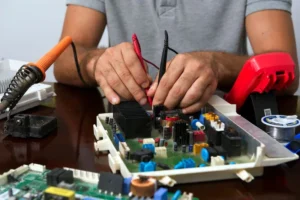
Restart the machine in the normal way, using its power control or plug, and wait for it to come back fully before judging the result. Check power: is the outlet live, is the plug seated, is any power strip switched on, and has a breaker tripped. Check the portal: join the WiFi name on a phone, see if the payment page opens, and note exactly what happens instead if it does not.
Test as a customer, with a small payment if the machine allows it, and note the result step by step. Record the problem in plain words while it is happening: what you did, what the machine did, what the portal showed, and when it started. A note such as “portal opens, coin accepted, no time added, started this morning” helps you, the supplier, or a technician far more than “machine broken.”
These checks also tell you whether the problem is yours to fix or someone else’s. If direct internet browsing from a laptop on the same source fails, the problem is upstream, not in the machine. If the portal loads but a payment fails, the problem is in the machine or its settings. That distinction, made before you call anyone, prevents paying for a visit to fix an internet outage.
Tasks for Owners and Builders Only, With the Supplier Manual
Some tasks are reasonable for an owner who built the machine, or an owner with real building experience, but only with the supplier manual for that exact board and part in hand. These tasks involve opening the machine, moving wires, or changing settings that affect how payments are read.
Calibration, wiring, and grounding fall in this group. So does any work inside the enclosure that moves cables, replaces a board part, or changes a power connection. The supplier manual matters because boards and coin slots differ: a layout that works for one model can cause faults on another. Do not guess a layout from a different board, a video for a different model, or memory of a previous build.
If you are in this group, work with the machine off for any wiring check, label cables before you move them, change one thing at a time, and test as a customer after each change. Keep the manual, the parts list, and your notes together, so the next repair starts from what was actually changed, not from a guess.
If you are not in this group, do not start these tasks because a fault looks simple. A simple looking wiring fault can hide a calibration or board fault, and an improvised fix can void a warranty or create a safety problem. That is the point where hiring help, or asking the supplier, is the cheaper choice.
Tasks to Hire For
Hire a technician, or go back to the supplier, for faults that persist, spread, or touch safety. These are the clearest hire cases.
Persistent hardware faults: a fault that continues after your owner checks, and after a correct check against the supplier manual if you are qualified to make it. Repeated faults of the same kind also belong here, because a repeat usually means the cause was never found, not that the machine is unlucky.
Firmware problems after backup: if a firmware problem appears and you have a backup of your settings, a technician or the supplier can work from that backup with a test plan. Do not attempt a firmware repair without a backup, and do not repeat the full update procedure from memory. The Software Update post covers update steps in full, and a hired repair should follow that post and your backup, not improvise.
Multi-machine faults: when several machines fail at the same time, or the same fault appears across machines, the cause may sit in a shared part of the setup, such as power, network, or a shared setting. A technician who can test the shared setup as a whole will find it faster than fixing each machine one by one.
Electrical safety concerns: any smell of burning, heat, sparking, damaged power cable, water inside the enclosure, or breaker that trips repeatedly. Stop using the machine, switch it off safely if you can do so without touching damaged parts, and hire help. Do not open a machine with a suspected electrical fault to “have a look” if you are not qualified, and do not keep running it while waiting for help.
What to Ask a Technician Before Hiring
A short conversation before hiring prevents most disputes. Ask these questions, and note the answers, before any work starts.
Experience with your platform: have they worked on your platform and machine type before, and can they name the platforms they know well. A technician who knows a different platform well may still help, but you should know that before they start, not after they have changed settings.
What they will change: ask them to explain, in plain words, what they plan to check and what they plan to change, and what they will not touch. If they plan to change wiring, settings, or firmware, ask how they will test afterwards. Vague answers here are a warning sign.
Backup before work: ask them to back up settings before any software or firmware work, where the platform allows it, and to confirm the backup exists before they proceed. If no backup is possible, ask what the fallback is if the work makes things worse.
Written note of what was changed: ask for a short written note after the work, listing what was checked, what was changed, and what was tested. This note is also your record for warranty, for the supplier, and for the next technician. Without it, the next repair starts from zero.
Also agree on practical points before work starts: when they will arrive, how long the machine will be out of service, and who supplies parts if a part is needed. A clear agreement on these points avoids a machine left half repaired while parts are ordered.
How to Compare Quotes Fairly, Without Invented Technician Rates
This post gives no technician rates, because rates vary by town, by travel distance, by machine type, and by whether parts are included. A fair comparison does not need a standard rate. It needs like for like detail.
Ask each technician for the same breakdown: call out or visit charge, labour for the job described, parts if any, and whether follow up is included if the same fault returns quickly. Ask whether the quote covers diagnosis only, or diagnosis plus repair, and what happens if the first diagnosis turns out to be wrong. A low quote that covers diagnosis only is not cheaper than a higher quote that covers the full repair.
Compare what is included, not just the total. One quote may include a customer test after repair, a written note, and a return visit if the fault returns, while another covers only the visit itself. Travel time matters too: a nearby technician who can return quickly may be better value than a distant one with a lower headline price.
Get the quote in writing, even as a short message, before work starts. If the scope changes during repair, ask for the revised price before the extra work proceeds, not after it is done. That habit protects both sides.
Warranty and Supplier Support Checks
Before you pay for any repair, check two things that can save the whole cost.
First, warranty: is the machine, or the faulty part, still under warranty, and does the warranty cover this fault. Check the warranty by part, because the board, coin slot, access point, and power supply may have different periods. Keep the parts list and licence receipt with your business records, as the machine setup post recommends, so you can prove what was included and when it was bought.
Second, supplier support: does the supplier offer remote help, a replacement part, or a repair service for this fault, and does doing the repair yourself or hiring someone else affect that support. Some suppliers will help remotely for free during warranty, or will replace a faulty part if you return the old one. Asking the supplier first can turn a paid repair into a warranty replacement.
Do not let a repair void a warranty by accident. If a technician plans to open a sealed part, change wiring, or replace a board, check with the supplier first when warranty may apply. A quick message to the supplier before work starts is cheaper than a refused warranty claim afterwards.
A Handover Checklist After Any Repair
After any repair, whether DIY or hired, run this handover before you open the machine to customers again.
- Written note received: what was checked, what was changed, and what parts were replaced, if any.
- Backup confirmed: settings backed up after the repair, where the platform allows it, so the next problem does not start from zero.
- Customer test passed: a small payment as a customer, portal loading, time or data credited correctly, and range checked at customer seats, not only next to the machine.
- Portal and sign agree: rates, payment methods, and pause rule on the sign match the portal after the repair. Update the sign at the same time if anything changed.
- Enclosure and power checked: enclosure locked, cables safe and out of walkways, ventilation clear, and no loose parts inside.
- Fault record updated: date, fault, cause found, fix applied, technician name if hired, and test results, filed with your business records.
- Warranty and supplier note updated: warranty status after the repair, and any supplier case or reference, noted for the next repair.
Do not reopen on a technician’s word alone. The customer test is the proof, and it takes only a few minutes. If the test fails, the repair is not finished, even if the machine powers on and the portal loads.
Frequently Asked Questions About Technician Versus DIY Maintenance
Should I try a DIY fix first, or call a technician straight away?
Do the owner checks first: restart, check power, check the portal, test as a customer, and record the problem. Those checks cost nothing and often point to an upstream internet problem or a simple power issue. If the fault continues after those checks, and it involves wiring, calibration, firmware, or safety, hire help or contact the supplier rather than guessing further.
How do I know if a fault is a hire job rather than a DIY job?
Use the groups in this post. Owner checks are DIY. Work inside the enclosure, wiring, calibration, and grounding need the supplier manual and real building skill. Persistent faults, firmware problems, multi-machine faults, and any electrical safety concern are hire jobs. When in doubt, ask the supplier first: that call is cheaper than a repair that makes the fault worse.
What should a technician give me after a repair?
A short written note listing what was checked, what was changed, what parts were replaced, and what was tested. Ask for it before work starts, and keep it with your business records. Without that note, the next repair, warranty claim, or supplier conversation starts from zero.
Will hiring a technician void my warranty?
It can, if the repair opens a sealed part, changes wiring, or replaces a board in a way the warranty excludes. Check warranty by part and ask the supplier before such work starts, especially while the machine or part may still be covered. Keep the parts list and receipt ready for that conversation.
How can I compare two technician quotes if they look very different?
Compare the same breakdown: visit charge, labour, parts, and follow up. Check whether each quote covers diagnosis only or diagnosis plus repair, what happens if the first diagnosis is wrong, and whether a customer test and written note are included. Compare what is included, not just the total, and get the chosen quote in writing before work starts.
What do I do if the same fault returns after a repair?
Record it the same way as the first fault: what you did, what the machine did, and when it returned. Contact the same technician or supplier with the previous written note in hand, and ask whether follow up is included in the original quote. A returning fault usually means the cause was never found, so a fresh diagnosis, not a repeat of the same fix, is what is needed.
What to Read Next
For setup order and the customer tests that prove a machine is ready, go to the machine setup post. For update steps in full, go to the Software Update post. For machine types and parts in summary, go to the Vendo pillar. For portal, pause, coin, and speed diagnosis after opening, go to the Troubleshooting guide. For rate strategy, go to the Rates pillar. Each page covers its own topic, so this post does not repeat their wiring, update, rate, or troubleshooting steps.