Coin Slot Not Working on Piso WiFi: Jam, Calibration, or Power, and What to Do First
Up: Piso WiFi Troubleshooting | Also in Troubleshooting and Fixes: No Internet After Paying | Voucher Not Working
Answer first: A coin slot problem has three main causes, and they look different. A jam stops coins from moving. A calibration problem lets coins move, but credits the wrong amount, or no amount. A power or wiring problem stops the slot from signalling the machine at all, even though coins move normally. Working out which one you have, before you insert more coins, is the whole job of this post.
This post covers only coin slot problems. For a voucher that is rejected or gives no time, go to the Voucher Not Working post. For a portal that will not open, go to the Portal Not Loading post. For a portal that opens but shows no timer after a coin payment, go to the No Internet After Paying post, after you have stopped inserting coins and noted the details below.
The First Rule: Stop Inserting Coins After a Failure
If a coin is taken but gives no credit, or a coin is rejected repeatedly, stop inserting coins at once. More coins do not fix a jam, a calibration drift, or a power fault. They add more coins to a jam, more payments to untangle, and more confusion about which coin gave which credit.
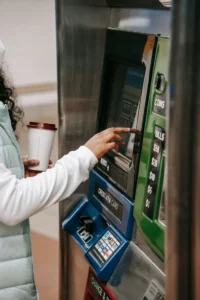
Note, before you do anything else: the denomination you used, the amount credited if any, the time, and what the portal timer showed before and after the coin. Take a screenshot of the portal timer if you can. That note is your proof, and it is what the operator needs to check the session list.
Diagnose by What You See and Hear
Coins will not go in, or get stuck in the slot
This pattern points to a jam, a bent or foreign coin, or a blocked coin path. Do not force coins into a jammed slot. Forcing can bend the coin path and turn a simple jam into a repair.
Who can fix it: the operator, on site. A customer should not open the machine box to clear a jam, unless the operator asks you to and tells you exactly how, for that machine. If the machine has a coin return or a clear jam instruction on its sign, follow that sign only, and stop if it does not work.
What to tell the operator: machine location, WiFi name, denomination stuck, whether other customers have the same problem, and whether the portal timer changed at all.
Coins go in and come back, every time
This pattern points to a coin that the slot does not recognise, a slot set for different denominations, or a calibration problem for that denomination. Try one clean coin of a different accepted denomination, only if the sign lists that denomination as accepted, and only once. If that coin also comes back, stop. The slot is not recognising coins for that machine at that moment, and more attempts will not change that.
Who can fix it: the operator, by checking accepted denominations, coin path, and calibration. A customer fix is limited to using a clean, undamaged coin of an accepted denomination, once.
Coins go in, stay in, but give no credit
This pattern points to calibration drift, a portal session problem, a coin path fault, or a power or wiring fault. Check the portal timer first, before you conclude the coin is lost. If the timer shows the payment, even after a delay, the problem was a delayed portal update, not a lost coin. If the timer shows no payment, note the amount and time, take a screenshot, and tell the operator. Do not insert a second coin to test whether the first one will appear, because a second coin creates a second payment to untangle.
Coins give the wrong amount
If a 5 peso coin credits as 1 peso, or a 10 peso coin credits as 5 pesos, the slot calibration is wrong for that denomination, or the coin is worn and reads as a different coin. Note the denomination, the amount credited, and the time, and tell the operator. Do not keep inserting the same denomination to see if it corrects itself, because each wrong credit adds to the confusion.
Who can fix it: the operator, by calibrating the slot with clean coins of each denomination, as explained in the Vendo pillar. Calibration is not a customer fix, and it should not be attempted by opening the machine unless you own it.
Slot lights are off, or the slot makes no sound at all
This pattern points to power, not coins. Check whether the machine itself has power, whether the portal loads for other customers, and whether other parts of the machine, such as lights or display, are working. If the whole machine is dark, the problem is machine power, and coin attempts will not help.
Who can fix it: the operator. Power checks include power supply rating for the full combo, including access point, coin slot, and any charging ports, ventilation and heat, and loose power connectors after any move or repair. An underpowered supply for a combo unit can cause random reboots and slot faults. Those checks are in the Vendo pillar and the Troubleshooting pillar, for owners only.
The Operator Fix, in Plain Terms, So You Know What to Ask For
You do not need to perform these fixes, but you should know what a complete operator fix looks like, so you can ask whether it has been done.
Jam clearing and coin path check
The operator clears the jam carefully, checks for bent or foreign coins, checks the coin path for damage, and retests with clean coins. If jams keep happening, the coin path or calibration needs attention, not more coins from customers.
Calibration with clean coins
The operator calibrates the slot with clean, undamaged coins of each accepted denomination, usually 1, 5, and 10 peso coins where those are accepted, and tests each denomination after calibration. Calibration should be checked after any move, repair, or change in coin supply, because a slot calibrated for one batch of coins can drift for worn or different coins.
Power and wiring check, for owners and builders only
The operator checks power supply rating, ventilation, and connectors. On some DIY builds, a wiring fault, such as a common ground issue on a small board machine, can cause ghost credits, where time appears without a coin, or missed credits, where a coin gives no time. That wiring check is reported in operator troubleshooting notes as a builder check, not a customer fix. It is included here only as a caution: if a DIY machine gives ghost credits or missed credits repeatedly, the wiring and grounding need checking by the builder, not by customers inserting more coins. Do not open a machine you do not own to check wiring.
Session list check, after the hardware check
After the hardware check, the operator checks the session list for your payment, amount, and time. If the coin was recorded but the timer did not show it, the operator can explain whether a session was replaced, expired, or recorded under a different device. If the coin was not recorded at all, the operator can decide on a credit or refund, using your note and screenshot as proof.
What Counts as Proof, and What Does Not
Good proof: machine location, WiFi name, denomination, amount credited if any, time, portal timer screenshot before and after, and whether other customers had the same problem.
Weak proof: a general statement that you paid, with no amount, time, or machine details. That statement cannot be matched to a session list, and it slows down a refund or credit decision.
Do not send banking passwords, social media passwords, or admin passwords as proof. A real operator does not need those to check a coin payment.
Frequently Asked Questions About Coin Slot Problems
My coin was taken, but the timer did not change. Is the coin lost?
Not necessarily. Check the timer again after a short delay, and check whether a second device or a new session replaced the first one. If the timer still shows no payment, note the amount and time, take a screenshot, and tell the operator. Stop inserting coins until the operator has checked the session list.
Should I try a different denomination if one denomination keeps coming back?
Try one clean coin of a different accepted denomination, once, if the sign lists it as accepted. If that coin also comes back, stop. The slot is not recognising coins at that moment, and more attempts will not fix calibration or a jam.
A 10 peso coin credited as 5 pesos. Can I get the difference back?
Tell the operator the denomination, the amount credited, and the time, with a portal screenshot if you have one. The operator can check the session list and decide on a credit, and can recalibrate the slot for that denomination. Do not insert more 10 peso coins to test it, because each wrong credit adds to the amount to untangle.
The slot is jammed. Can I clear it myself?
Only if the machine sign gives a clear jam instruction for customers, and only by following that instruction exactly. Do not open the machine box, do not force coins, and do not use tools on the slot. If the sign gives no customer instruction, tell the operator and wait for an on site fix.
What are ghost credits, and should I use them?
Ghost credits are time that appears without a coin, reported on some DIY builds as a wiring or grounding fault. Do not rely on them, and do not try to trigger them. Tell the operator, because ghost credits point to a hardware fault that needs a builder check, and using them can lead to a session being corrected or removed later.
The whole machine is dark. Is that a coin slot problem?
No, that is a machine power problem. Coin attempts will not help until power is restored. Tell the operator the machine location and that the whole machine is dark, rather than reporting it as a coin problem.
Pulse Calibration Mismatch, Dirty Sensors, and Grounding, Operator Checks Only
Not every coin fault is a jam. A pulse calibration mismatch can accept a coin but credit the wrong time, because the pulse count the machine expects does not match the rate table. A dirty sensor can also reject or miscount coins. Cleaning a sensor and checking grounding for the coin selector are operator only tasks. Customers should not open a machine, clean inside it, or adjust wiring, because that can void a warranty and can make a fault worse. The useful customer report is: which coin, how many coins, what time was credited if any, and whether the same coin worked before. The operator should then check calibration, sensor condition, and grounding, and test each denomination as a customer before reopening.
What to Read Next
If the portal opens but shows no timer after a coin payment, go to the No Internet After Paying post. If a voucher was rejected or gave no time, go to the Voucher Not Working post. If browsing is slow rather than absent, go to the Slow Speed post. For machine parts and calibration in full, go to the Vendo pillar. For the general diagnostic method, go to the Troubleshooting pillar.